🔍 Cannot Cancel Fitbit Air Subscription (Google Health Premium)? Here is the Solution!
During the Fitbit app era, Premium subscriptions were managed under the usual Google Account menu under “Payments & subscriptions” (ウォレットと定期購入).
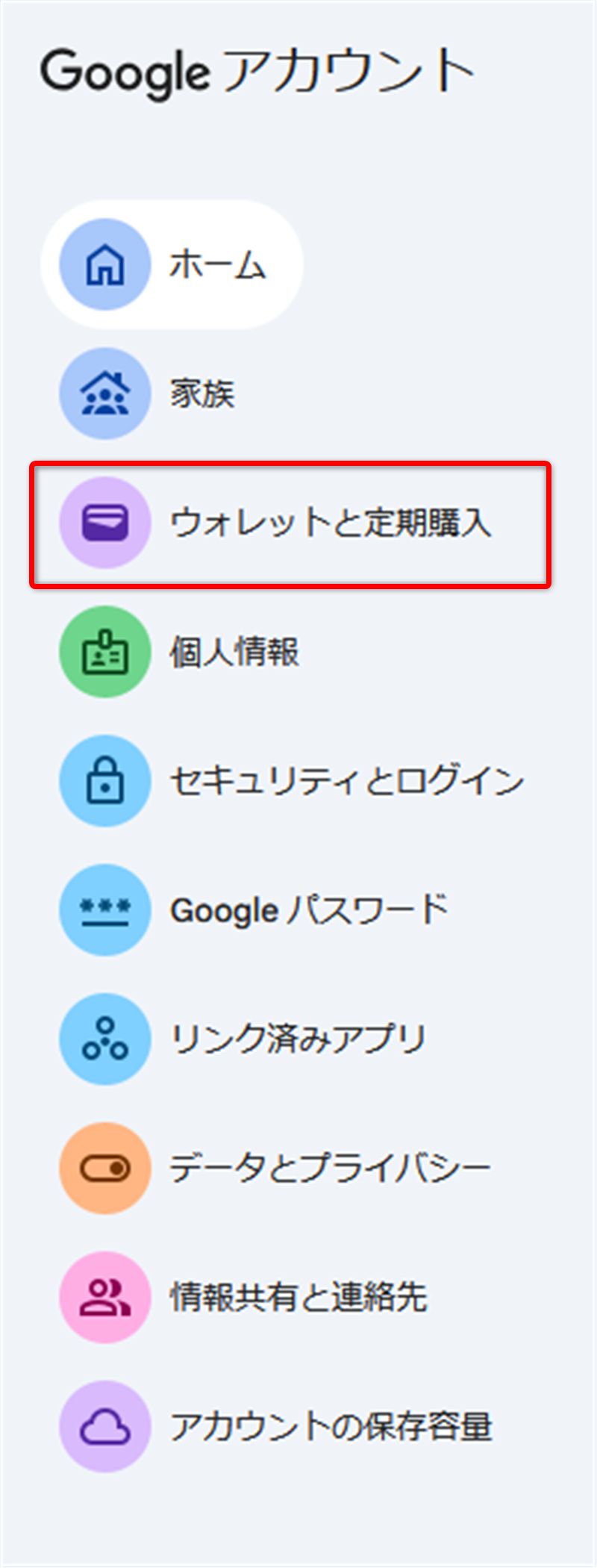
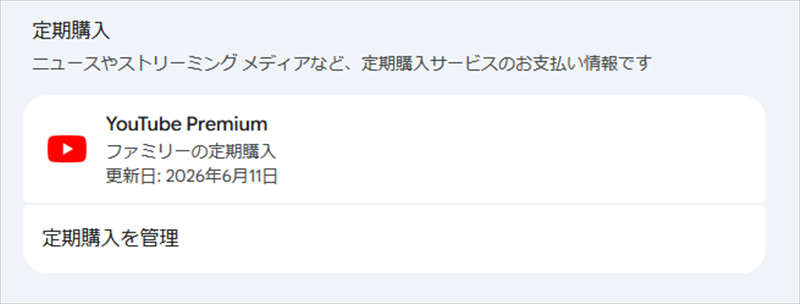
However, the subscription for the newly purchased Fitbit Air does NOT exist there!
In my case, the only subscription showing up in my Google Account is YouTube Premium.
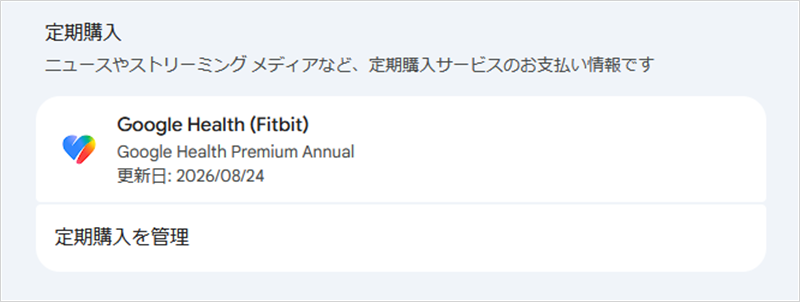
On the other hand, an account connected to a Charge 6 properly displays “Google Health Premium” under the standard “Payments & subscriptions” menu.
That is right!
Starting with the Google Fitbit Air, the management method for subscriptions has completely changed!
Therefore, if you want to cancel your subscription, you must follow these steps:
- Log in to the Google Store using the specific Google account you used to purchase your Fitbit Air.
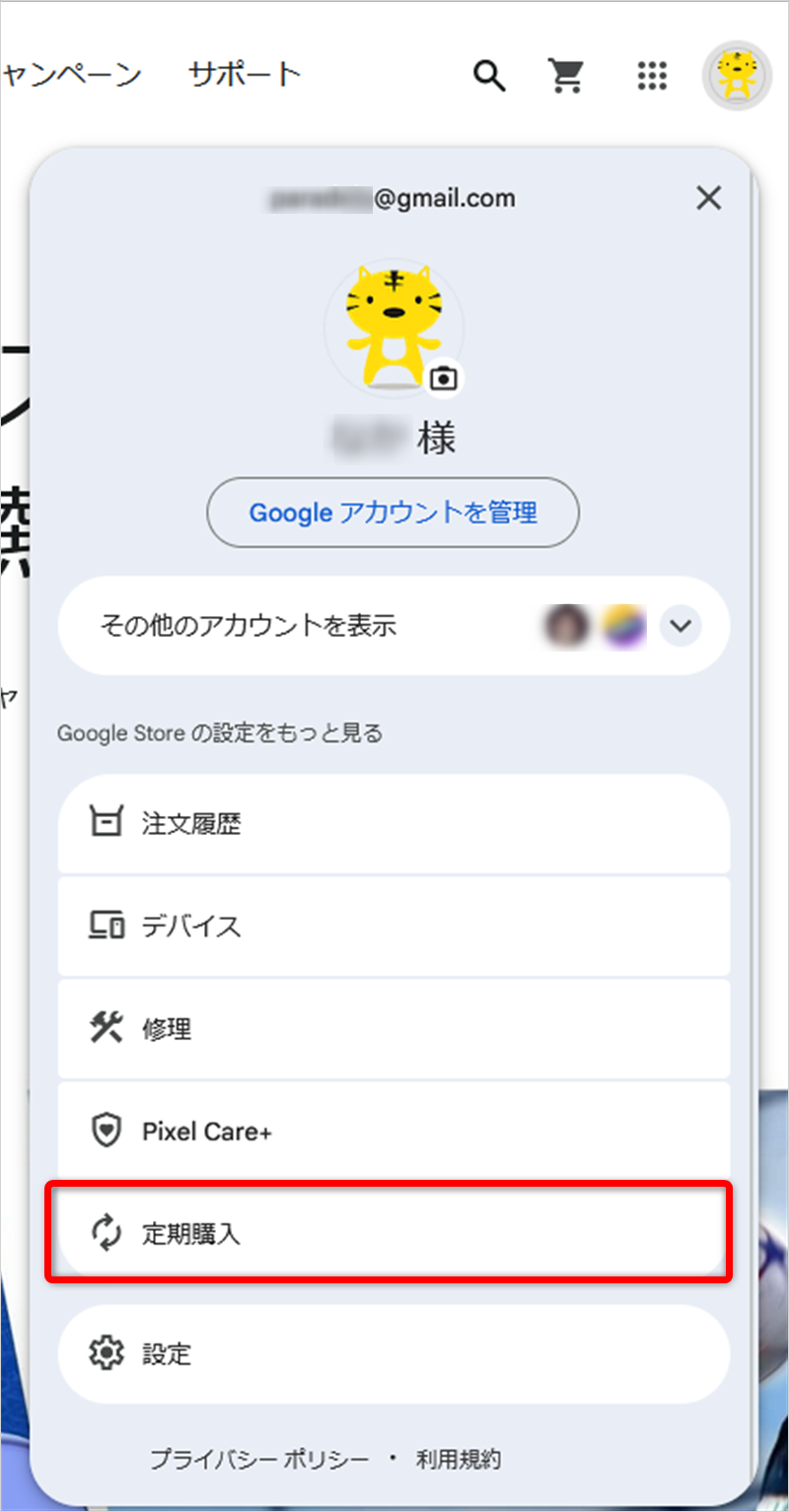
- Tap (or click) your Account Name / Icon in the upper right corner.
- Click on “Subscriptions” (「定期購入」 in the Japanese screenshot).
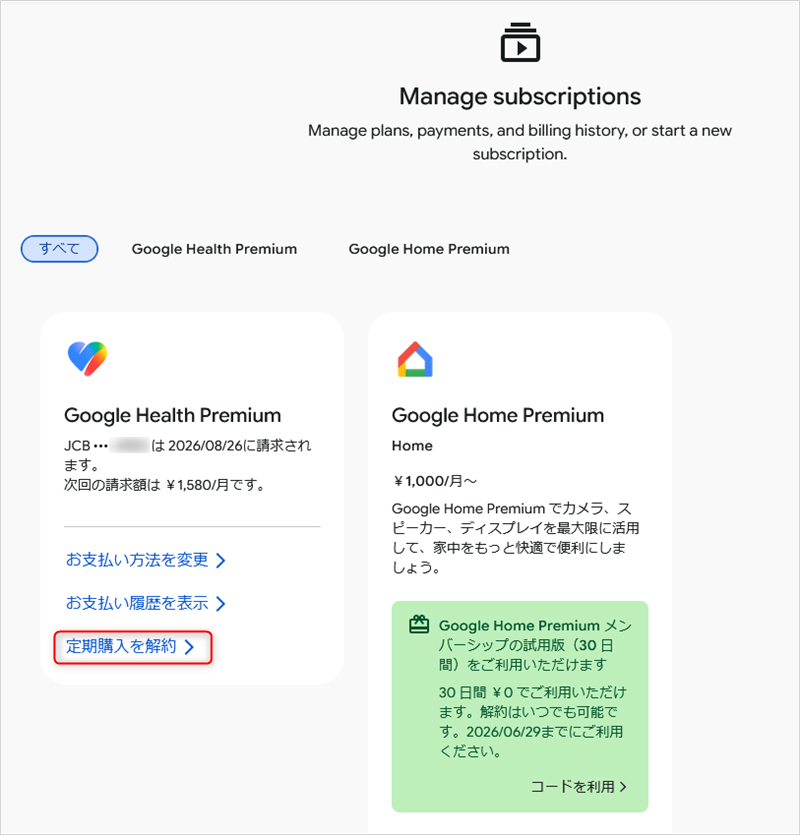
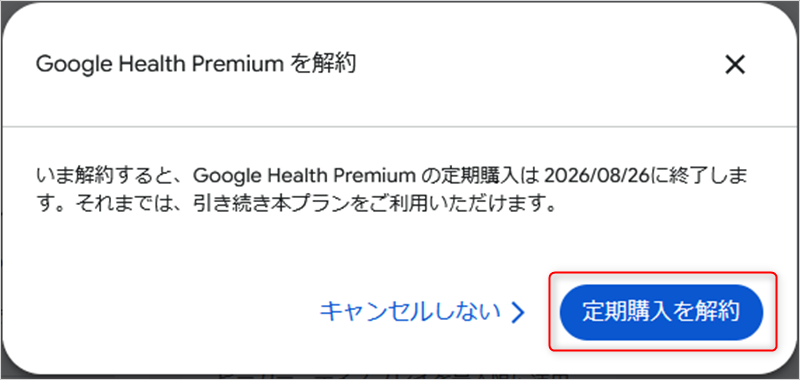
Proceed to cancel the subscription.
—
🔒 Fitbit Air Features a “Serial Number” — Unlike the Charge 6
While the basic information section for the Charge 6 only contains “Product Name” and “Firmware Version,” the basic info section for the Air now includes a “Serial Number”!
This means that once a device is linked to a specific Google account, it is heavily locked down. Even if you factory reset the device and attempt to link it to another account, it will likely be impossible to transfer or restart the free trial period.
Fitbit used to be quite loose with these regulations in the past, but now that it has transitioned into Google Fitbit, they have locked everything down tightly.
Furthermore, with the legacy Fitbit app, users could still view their past data and stay connected with friends even if no device was currently linked. However, with the new Google Health app, the moment you disconnect the device from your account, it appears you can no longer view any of your past measurement data at all.

コメント Leave a Comment