Cocoon’s Built-In Analytics Get a Major Upgrade (2.9.4)
Cocoon 2.9.4 introduced a new dashboard for its built-in traffic analytics feature.
From “Access Analytics” in the WordPress admin dashboard, you can now view information such as:
- Page view (PV) trends and comparisons with the previous period
- Most popular and trending posts
- Traffic by category and tag
- Traffic trends for individual posts (Lifecycle)
- Page views by day of the week and a 52-week traffic calendar
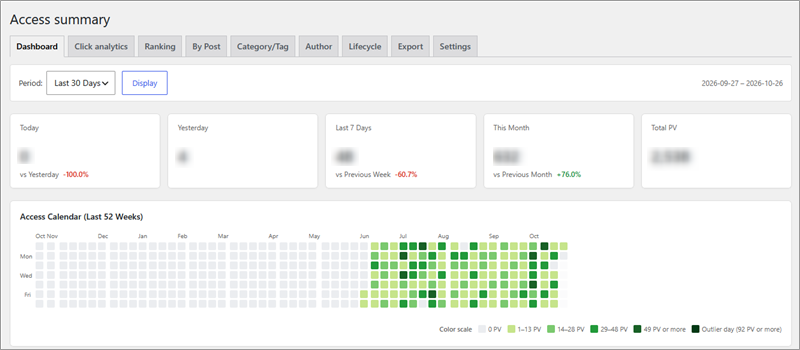
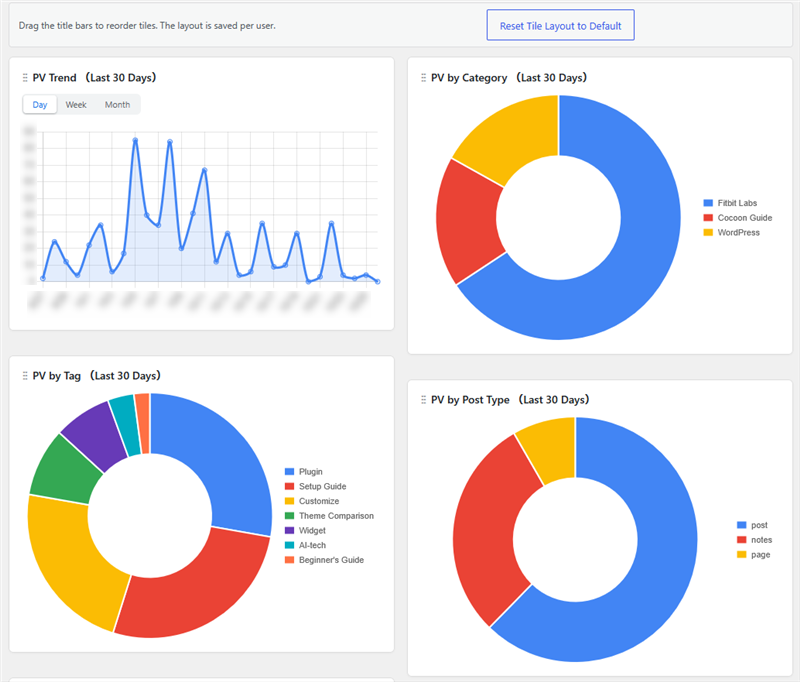
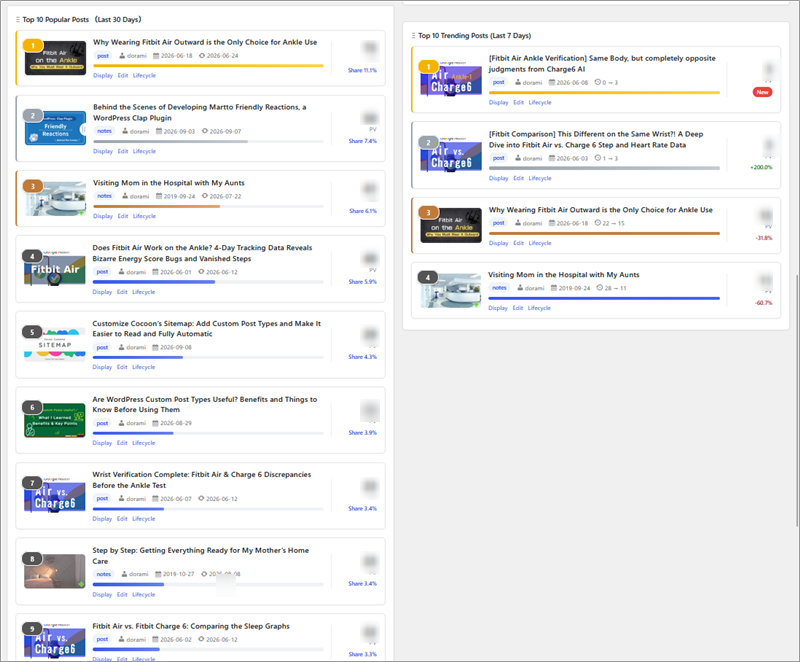
Being able to see the data in charts rather than just numbers makes it much easier to tell which posts are getting traffic at a glance.
Google Analytics is powerful, but doesn’t it sometimes feel a little overwhelming when you’re just trying to find the information you need?
That’s why I appreciate how intuitive Cocoon’s “Access Analytics” feature is!
One feature I find particularly interesting is “Lifecycle,” which shows how traffic to individual posts changes over time. You can see the difference between posts that attracted readers immediately after publication and those that gradually gained traffic later on.
Official Release Notes (Japanese) Cocoon 2.9.4: New Analytics Dashboard
Faster Analytics Processing (2.9.5)
Released on August 25, 2026, Cocoon 2.9.5 improved the efficiency of traffic analytics and popular post processing.
It also included internal improvements, such as better stability for the Amazon Creators API and editor-related adjustments.
Official Release Notes (Japanese) Cocoon 2.9.5: Faster Traffic Analytics
Link Click Tracking Added (2.9.6)
Released on October 17, 2026, Cocoon 2.9.6 introduced a feature that tracks how many times links within your posts are clicked.
You can check clicks on both internal and external links. The Click Map also lets you see how readers interact with links directly on a preview of your post.
This looks useful for reviewing link placement and finding out whether readers are following your links to related articles.
You can adjust tracking options and data retention settings in the analytics settings screen.
Redesigned Cocoon Settings Interface (2.9.6)
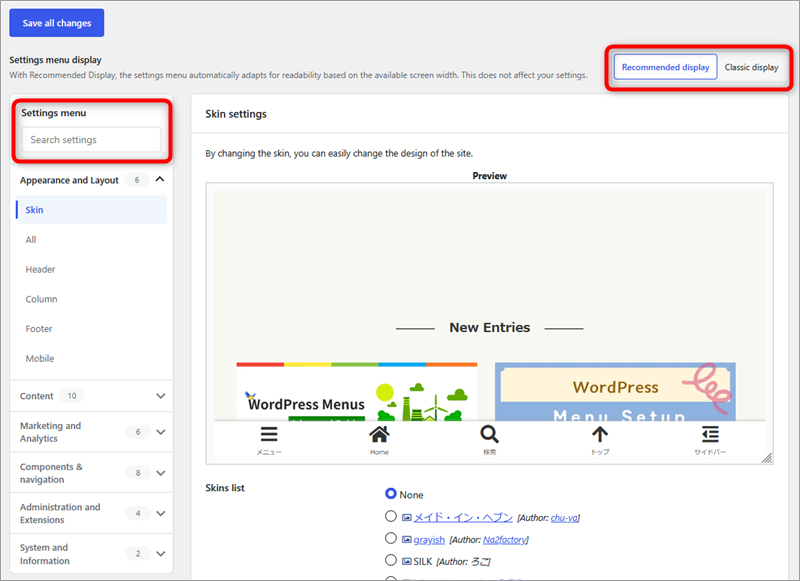
Cocoon 2.9.6 also introduced a way to switch between “Recommended View” and “Classic View” in the Cocoon settings screen.
Recommended View organizes settings into groups and lets you search for specific options.
If you’re more comfortable with the familiar tab-based layout, simply switch to Classic View!
We’ve also published a guide that helps you find Cocoon settings by browsing a complete index.

Classic Editor Issue in Multilingual Environments Fixed (2.9.6)
The fix I was personally happiest about was the resolution of an issue that caused the Classic Editor to stop working in multilingual environments.
I run both Japanese and English versions of this website. At one point, I ran into a problem where I couldn’t switch from the Text editor to the Visual editor when working in the English WordPress interface.
To investigate the cause, I compared several WordPress installations and discovered that the only site where the editor worked correctly was the one that hadn’t updated the Cocoon theme.
Suspecting that a theme update was responsible, I investigated the issue with the help of AI. I eventually restored the Visual editor in the English environment by adding a temporary workaround to my child theme’s functions.php file.
I also reported my findings and the fix to the Cocoon developers.
Then, when I checked the release notes for 2.9.6, I was delighted to find that this exact issue was listed as fixed!
I immediately updated the theme, removed my temporary workaround, and tested the editor again. The Visual editor worked perfectly!
After all the effort I had put into finding the cause, I was genuinely happy to see the issue officially resolved.
I’m looking forward to seeing how Cocoon continues to improve!
Official Release Notes (Japanese) Cocoon 2.9.6: Link Click Tracking and Redesigned Settings

Comments