Astra is one of the most popular WordPress themes in the world. It is highly praised by bloggers globally for being lightweight and highly customizable.
However, while running such a free and multipurpose theme, have you ever felt the stress of having to add plugins or pay for premium versions every time you want to add a table of contents, create speech balloons for conversations, or centrally manage your affiliate links?
The more plugins you add, the slower your site’s loading speed becomes, and the higher the risk of plugin conflicts. There is a Japanese-made monster theme that instantly solves this critical dilemma for WordPress users worldwide who want to build a feature-rich, lightweight site without any extra costs.
What is Cocoon? The No.1 Free WordPress Theme in Japan
That theme is “Cocoon,” which boasts the top market share in Japan as a completely free theme.
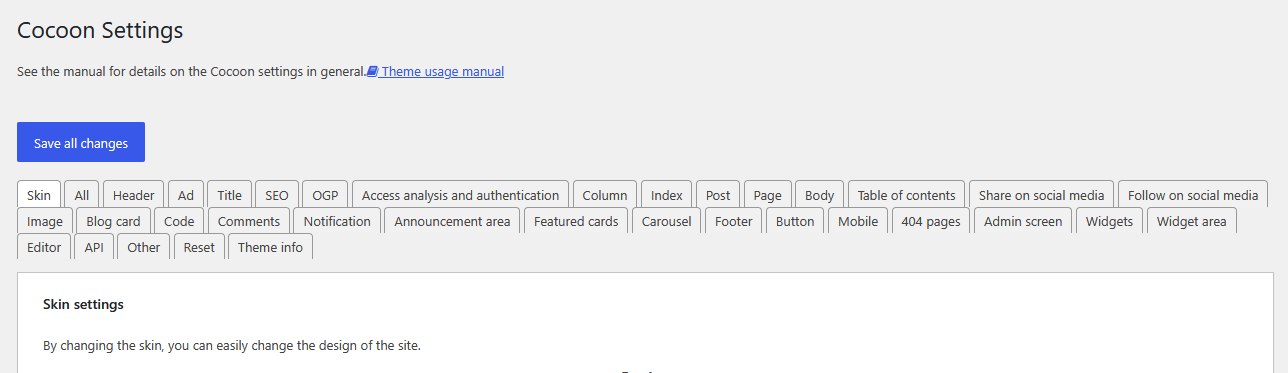
There is no need to give up thinking, “I can’t use a Japanese theme because the dashboard is in Japanese.” Cocoon features an incredible automatic localization system. Simply by changing your WordPress language setting, every single configuration option in the dashboard automatically translates into that language.
This compatibility is not limited to English. It perfectly localizes into major global languages including Traditional Chinese, German, French, Spanish, and Portuguese. It is truly a global standard theme.
Chinese

In this article, we will compare Cocoon with the global standard “Astra” and logically explain why this Japanese theme represents a complete liberation from a massive stack of plugins and recurring costs, focusing on 5 core features that make those plugins entirely unnecessary.
1. Three Built-in Core Features of Cocoon to Drastically Reduce Plugins
Features that usually require external plugins or complex page builders in simple WordPress themes like Astra are completely and beautifully built-in with Cocoon from the very beginning.
Tool.1 Speech Balloons (Conversations)
This feature allows you to pre-register character icons and lines, creating engaging, conversation-style articles with just a single click. In the global blogging market, implementing these “Speech Balloons” with clean, lightweight code typically requires purchasing premium plugins or installing heavy page builders. The fact that this is included as a standard feature with unlimited usage is one of the biggest attractions for users. It also comes with 10 ready-to-use default templates.
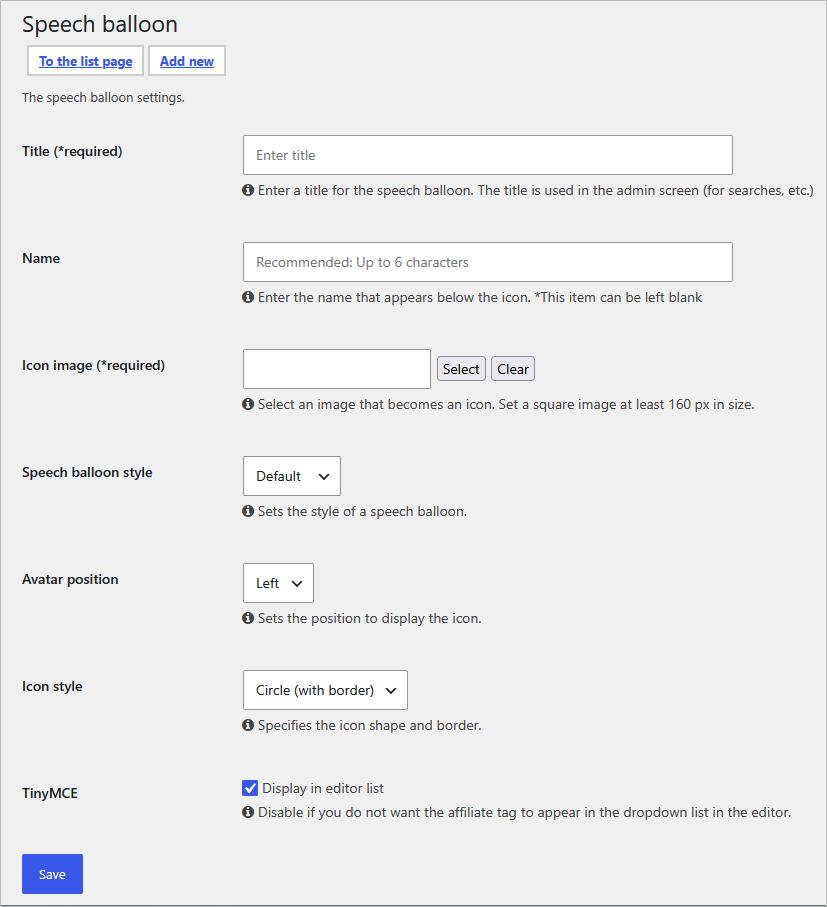

Default speech balloon samples like this are already provided, allowing users to easily apply them from the editor menu.

Of course, you can also register your own custom images via the creation button to expand your icon library freely.
Tool.2 Blog Cards
With Cocoon, simply pasting an article URL into the editor automatically converts it into a sleek link box (Blog Card) complete with a featured image, title, and excerpt. What is truly amazing is that it natively supports not only internal links but also “external links” from different domains. While most free themes, including Astra, render these as plain text links (blue text), Cocoon instantly visualizes them without a single plugin.

Tool.3 Affiliate Tags Management
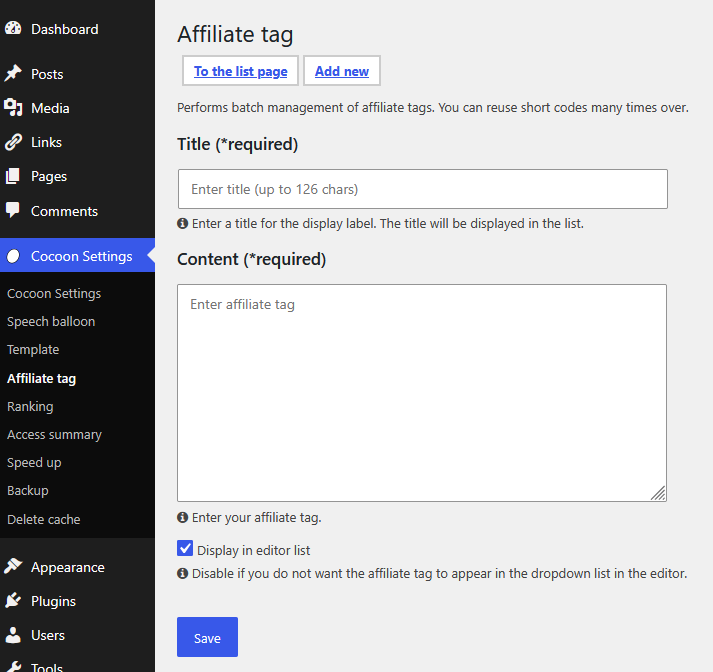
For professional bloggers aiming for monetization, managing ad codes is a lifeline. Cocoon features a management system where you can pre-register frequently used ad codes or affiliate links and call them into articles instantly using shortcodes. When an advertiser changes their link specifications, you only need to update it in one place within the dashboard to reflect the change site-wide. This completely eliminates the need for widely-used yet heavy ad management plugins like Advanced Ads.
2. Site Speed and SEO: Completely Replacing Major Plugins with Cocoon
In the WordPress world, optimizing site speed (such as installing WP Rocket) and managing SEO (such as installing Yoast SEO or Rank Math) are often considered “mandatory rituals.” However, Cocoon covers these domains natively within the theme itself.
Tool.4 Speed Optimization Settings
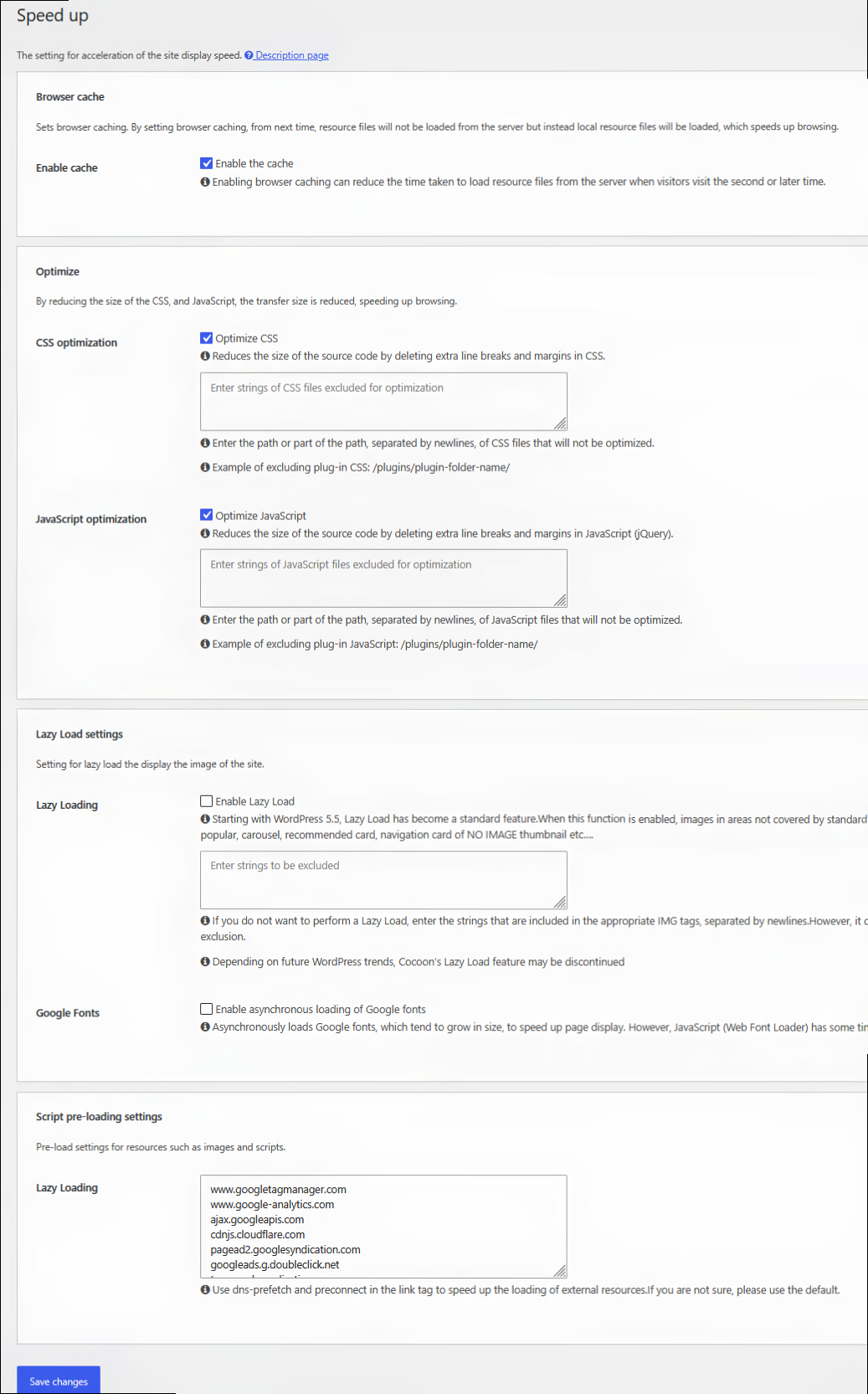
Performance-critical configurations—such as enabling browser caching, compressing files (HTML/CSS/JS), and lazy loading images—are fully handled simply by checking a box. You no longer have to worry about plugin compatibility issues.
Tool.5 SEO & Analytics Settings
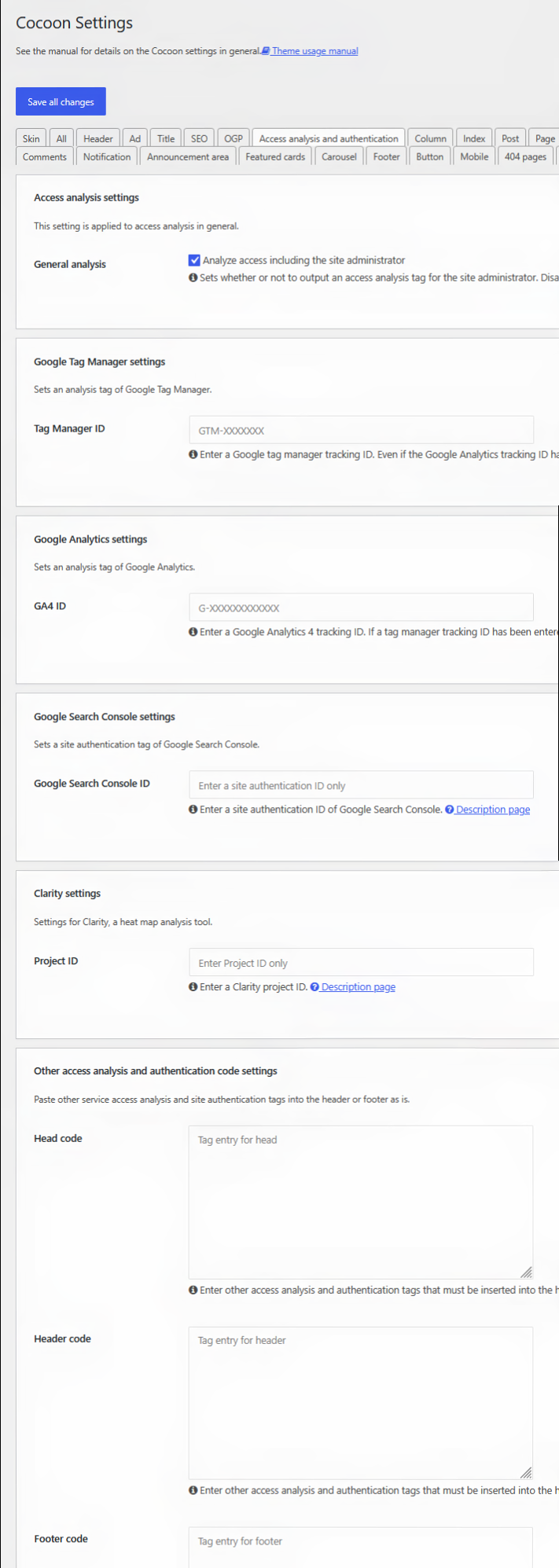
From entering meta descriptions for individual articles and controlling index/noindex tags, to cross-referencing verification tags for Google Analytics and Search Console—everything is completed just by pasting them into the dedicated input fields. You gain a lightweight SEO environment with zero plugins, without ever risking direct modifications to child theme files like header.php.
Conclusion: Cocoon and the Aesthetics of “Omotenashi” Addition
Most mainstream multipurpose themes, including Astra, are designed with an “aesthetics of subtraction,” keeping core features minimal and leaving users to add what they need via plugins. In contrast, Japan’s Cocoon is built on an “aesthetics of addition”—an extreme form of hospitality (“Omotenashi”) that beautifully pre-integrates all necessary blogging functions so users never have to waste time selecting or managing plugins.
Simply by changing your WordPress system language, this powerful all-in-one environment becomes available in your preferred UI language. This is the single biggest reason why users struggling with theme selection should turn their attention to Cocoon right now. Stop draining your energy in an ocean of plugins, and try adding this clean, powerful, and completely free environment to your options.
In this article, we focused on the “5 core tools” directly tied to site lightweighting and monetization. In fact, Cocoon is packed with many more incredible features, such as a “skin feature” that changes your design with a single click, and simple built-in traffic analytics for individual posts. We will dive deep into these attractions in upcoming articles, so stay tuned!
Comments