1. Seamless Design Switching and Freedom from “Extra Plugins”
In the previous post, we explored built-in tools for site speed and monetization. But this is where the real power of “Cocoon”—the free theme born in Japan—truly shines. With ultra-minimalist themes like Astra, you often have to upgrade to paid premium tiers (Astra Pro) or install multiple external plugins that slow down your site just to get basic features. In Cocoon, all of these are completely “built-in” right out of the box.
Tool.1 Skins
When trying to change your site design or import a starter template in Astra, you usually need to install a separate starter templates plugin—and most of the polished, premium designs are locked behind a paid version.
With Cocoon, however, a massive library of high-end design skins created by top Japanese designers is available by default! The fact that this feature—allowing you to completely overhaul your site’s design and color palette with a single click—is fully usable without any additional plugins is simply mind-blowing.
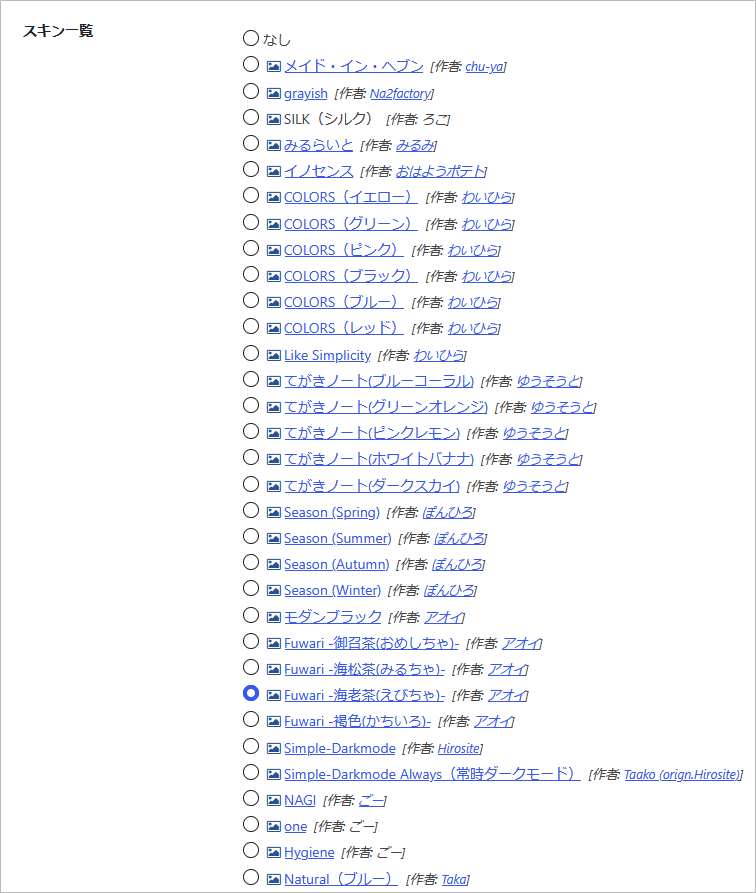 Moreover, when you hover your mouse pointer over a skin icon, a live preview pops up instantly so you can check the design beforehand.
Tool.2 Table of Contents
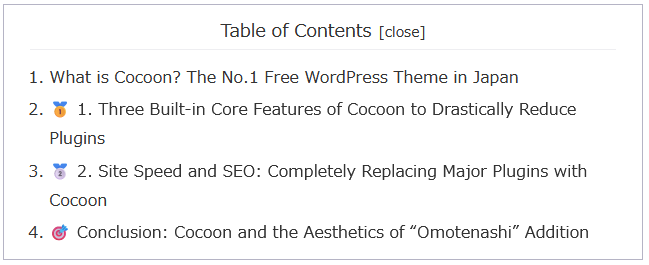
This feature automatically detects your headings (H2/H3, etc.) and generates a clean table of contents at the beginning of your post. Display conditions and style customizations can all be managed seamlessly from a single dashboard screen. In Astra, installing an external plugin like “LuckyWP Table of Contents” is almost mandatory, but Cocoon handles this natively. By ditching that extra plugin entirely, your site stays incredibly lightweight!

Expanded State
Tool.3 SNS Share / Follow Buttons
This feature automatically places beautiful social share and follow buttons (for X, Facebook, Pinterest, etc.) at the top and bottom of your posts. You can switch the button shapes and styles instantly just by checking a box in the dashboard! Since Astra doesn’t include these natively, users usually go through the hassle of adding heavy social plugins and wrestling with custom CSS. In Cocoon, it looks stunning right out of the box.

Minimalist Share Buttons

Social Follow Buttons

2. Powerful Management and Analytics Tools with Zero Maintenance Overhead
Furthermore, Cocoon allows you to centrally and safely manage everything from access analytics settings to direct monetization setups without relying on external plugins.
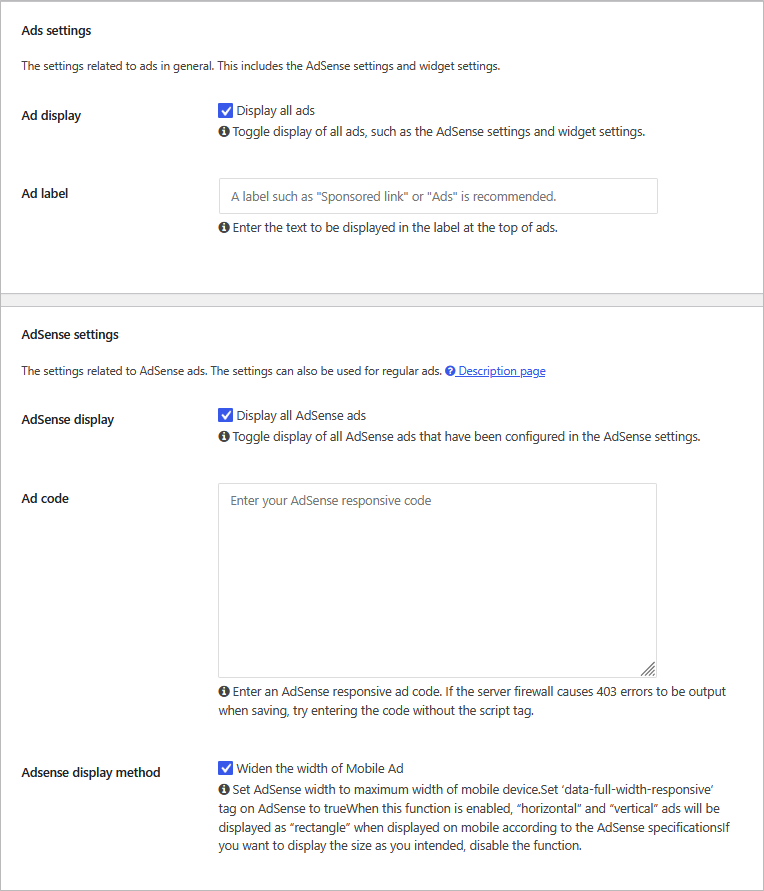
Tool.4 Ad / Monetization Settings
Simply paste your Google AdSense or advertising codes into a single dashboard field, and Cocoon will automatically distribute them across optimized, responsive locations—such as “above the table of contents,” “mid-post,” or “below the post.” This completely eliminates the need to manually insert ad codes every time you write a new article, skyrocketing your blogging efficiency. To achieve this in Astra, you’d have to rely on bulky ad management plugins like “Advanced Ads.”
Tool.5 Analytics Settings
You can effortlessly integrate your Google Analytics tracking ID, Search Console codes, and various verification tags by simply pasting them into designated fields. Since there is absolutely zero risk of getting the dreaded white screen of death from manually editing theme files (like header.php in a child theme), both beginners and professionals can safely set up a lightweight tracking environment.
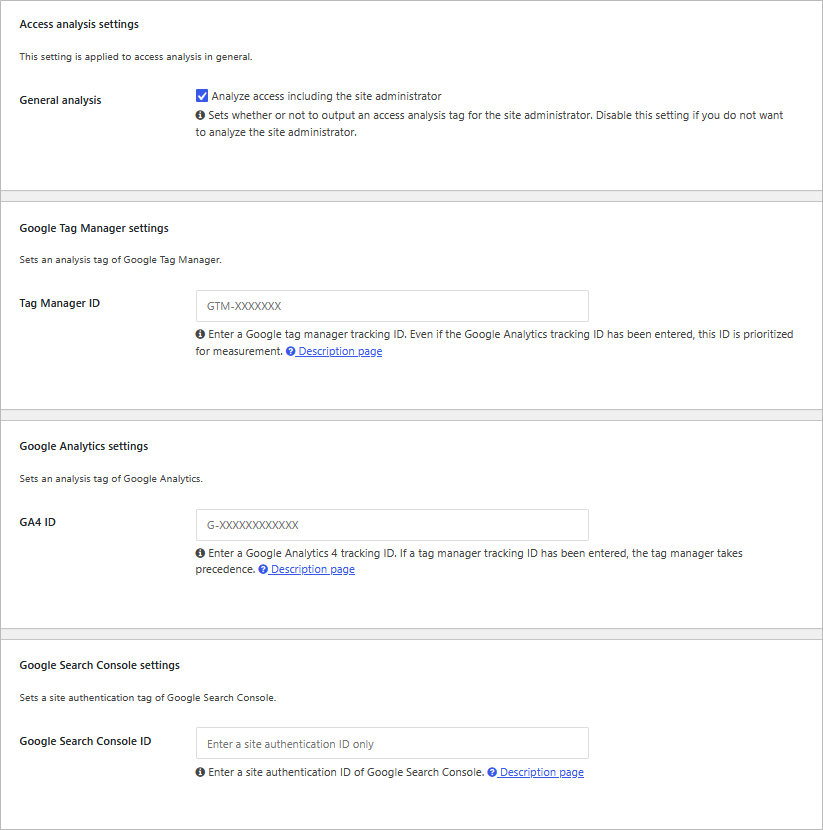
Other Verification Codes
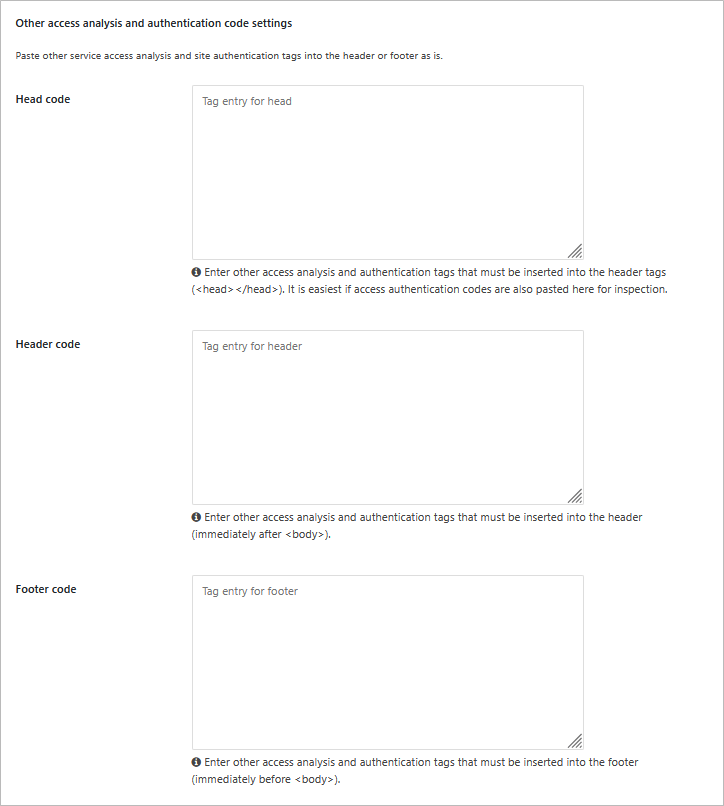
Tool.6 In-Dashboard Analytics
Say goodbye to loading heavy plugins or constantly opening separate, complex Google Analytics dashboards. This incredibly thoughtful feature lets you check the pageview counts of individual posts directly from your native WordPress post list! While adding third-party plugins for this in Astra heavily taxes your database, Cocoon runs on a lightweight built-in tracking engine that keeps your frontend site loading blazing fast.
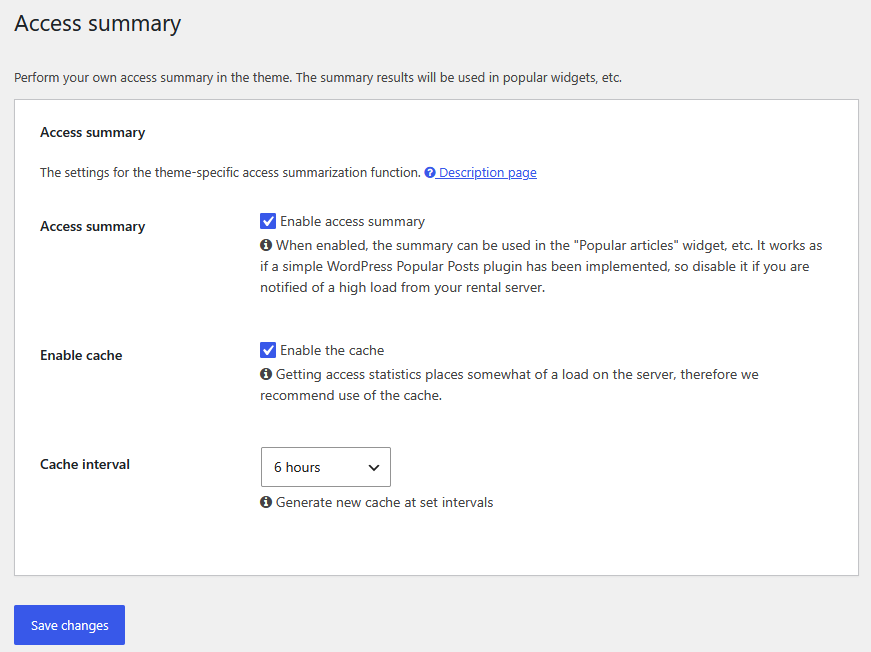
Tool.7 Cocoon Widgets
An incredible array of pre-built layout assets—such as author profiles, recent posts with thumbnails, and popular post carousels—are ready to go. You can design your ideal sidebar or footer layout with simple drag-and-drop actions, completely bypassing the need to hunt down extra widget extension plugins.
Tool.8 Classic Editor Toggle
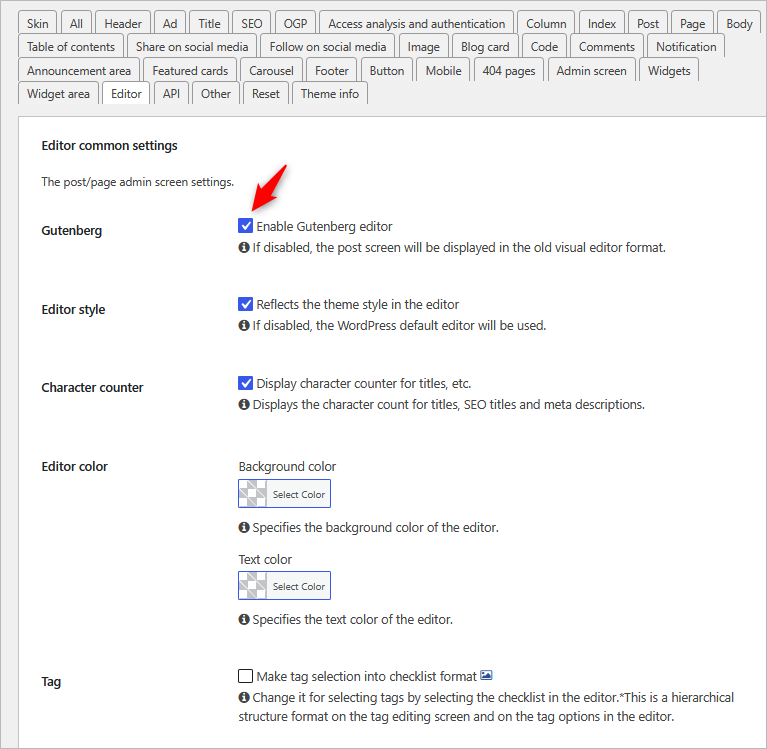
With just a single checkbox in the Cocoon settings panel, you can instantly toggle between the native Block Editor and the Classic Editor without installing any external plugins. It’s an incredibly considerate, premium touch tailored for veteran bloggers who want to leverage their existing workflows or easily switch writing styles.
Conclusion: Cocoon Offers Everything Out of the Box for Free
Across this two-part series, we have looked at 13 incredible core features of Cocoon while comparing it to Astra. What did you think?
Features that would normally require a paid premium subscription in Astra (like advanced starter templates/skins) or multiple site-slowing plugins (like automated TOCs, social buttons, advanced ad injection, and post analytics) are beautifully organized inside Cocoon’s built-in toolkit from day one.
It’s time to stop worrying about plugin conflicts or paying extra fees just to unlock basic theme customizations. Experience this clean, powerful, and ultimate all-in-one environment entirely for free, and let it redefine your WordPress workflow!
Comments