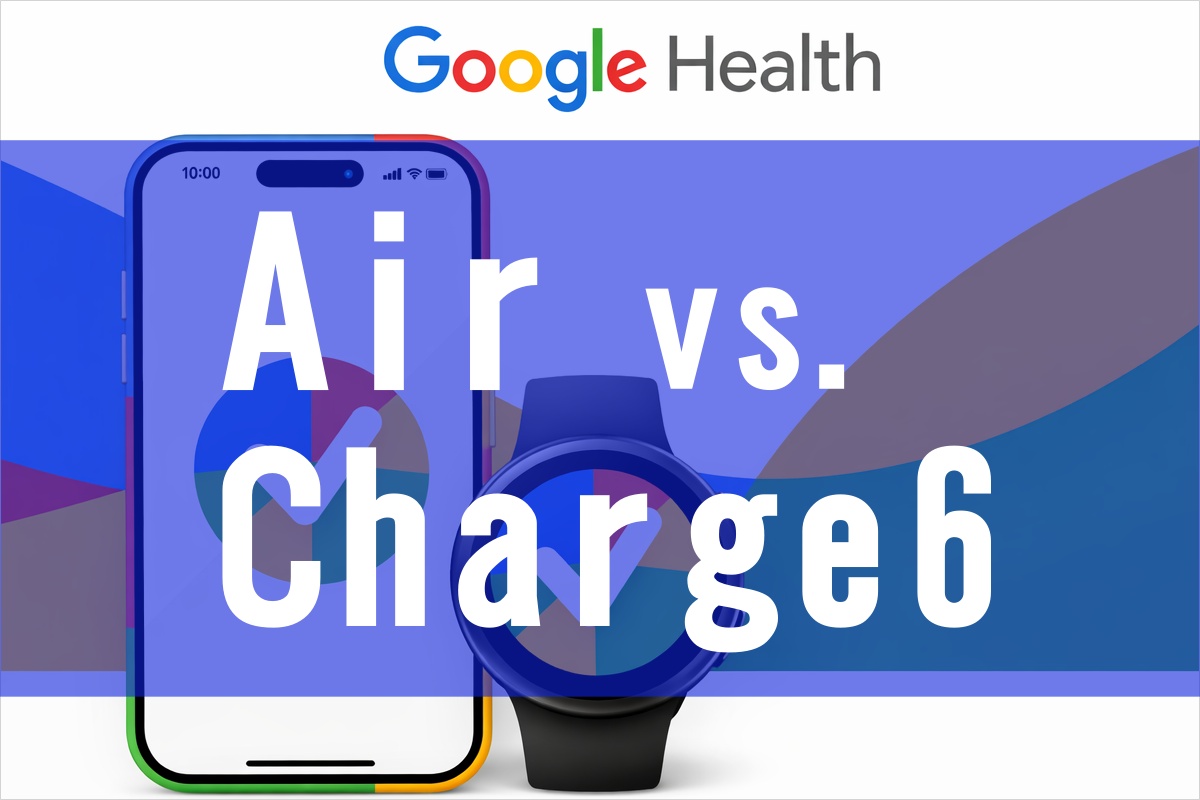
The Fitbit Air has absolutely no screen and no notifications.
Online, I’ve seen some cold comments like, “What’s the point of this device?” or “If you already have a smartwatch, why bother?”… But let me tell you, that’s completely wrong!
The Fitbit Air might just be a device that truly awakens when used as the “ultimate sidekick (sub-device)” for your main smartwatch—especially the Pixel Watch!
⌚ The Official Band is Just Too Ugly!
Since I started wearing two devices on my right wrist, the rookie Air has completely failed to meet expectations, giving me “No Data” for my sleep score two days in a row!
This morning when I woke up and checked the Air, the hook-and-loop (velcro) band had probably caught on my blanket and loosened without me noticing, causing the sensor to shift out of place.
This official band is a serious issue!
When you rip it open, it makes this loud *rip-and-peel* sound!
Yes, exactly like a middle schooler’s wallet!😅
A grown adult making that *rip-and-peel* sound!
I honestly want to ask Google why on earth they went with such an ugly design!
To make matters worse, there are barely any affordable third-party bands available yet.
If you try to buy an official replacement on the Google Store, the Premium Modern Band costs a whopping 7,980 yen!
Excuse me? You’d think that price would include the device itself, but nope—just for the band?! You’ve got to be kidding me!😆
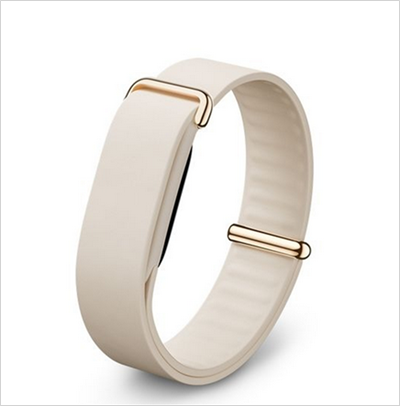
I do think this color of the Premium Modern Band looks nice, but hey, I’m just “test-driving” it right now.😅
I still haven’t decided whether I’m keeping the Charge 6 or the Air, so I definitely can’t justify buying it yet!😆
The combination of the tracker and the band is an incredibly important factor for me—zero compromises.
For my main device, the Galaxy Watch 7, I actually use a third-party band that I like way better than the official one!
I can take it off in a single second to wash my hands and snap it back on just as fast.
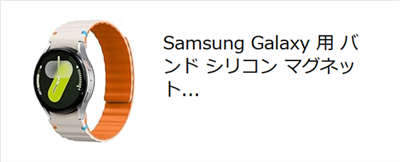
For anyone who wears a device on their wrist 24/7, this is a crucial detail.
And that third-party band only cost about 1,200 yen!
So you can probably understand why I’m sitting here thinking, “Why on earth should I pay 8,000 yen for a band?!”…
🕵️♂️ Sleep Score Revived Over Time! What’s Happening Behind the App?
I had given up, thinking, “Oh well, the band just got loose and couldn’t measure it properly…” But when I checked the app later this morning for yesterday’s score…
Unbelievable—yesterday’s sleep score of “84” was proudly on display!!!😲💦
Yesterday, no matter how long I waited or how many times I refreshed the screen, it kept saying “No Data.” Yet here it is, casually reviving the past numbers a whole day later. Talk about a time lag!
What’s even funnier is today’s data (June 3rd).
The sleep stage screen still coldly displays “No Data,” but when I open the Coach’s advice section inside the app, the Coach casually chats away, saying, “Your sleep score today is 84!”
On the main stage (the graph screen), it acts like, “Data? What data? I didn’t track anything.” But behind the scenes (in the Coach’s room), it’s secretly like, “Actually, I already calculated that it’s an 84!” It’s being a total tsundere.
I bet by tomorrow around noon, today’s score will proudly pop up on the main app screen, don’t you think?
Meanwhile, the Charge 6 on the exact same right wrist tracked everything perfectly, showing a sleep score of “81” and a Daily Readiness score of “56.”
🚶♂️ Differences in Step Data Between Air and Charge 6
What’s really fascinating is that you can definitely feel a change in the sensor algorithm between the Air and the Charge 6.
Even when walking the exact same distance, the Air counted 5,363 steps while the Charge 6 counted 5,240 steps. The Air tends to be a bit more generous with the count.
However, the calorie burn was almost identical: 284 kcal on the Air and 285 kcal on the Charge 6.
Does this mean the heart rate sensor has been improved?
The average heart rate in the active zone was 126 bpm on the Air compared to 123 bpm on the Charge 6.
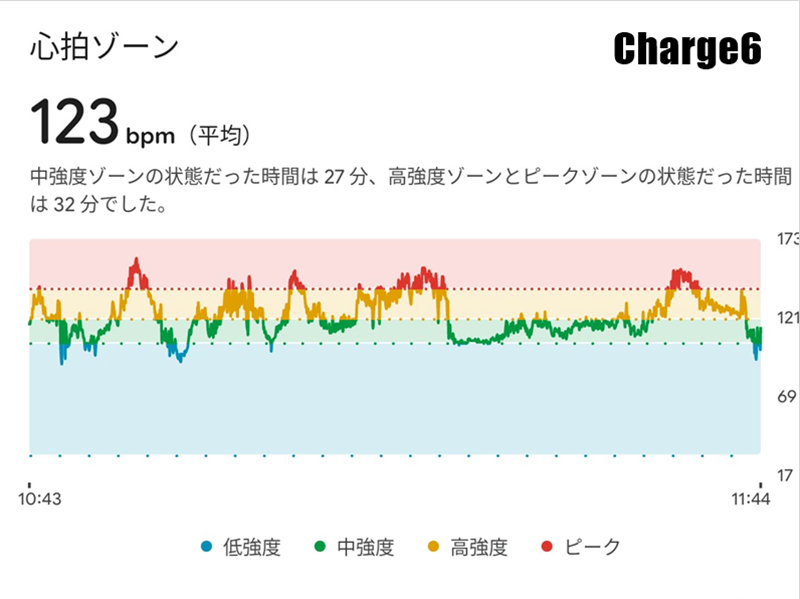
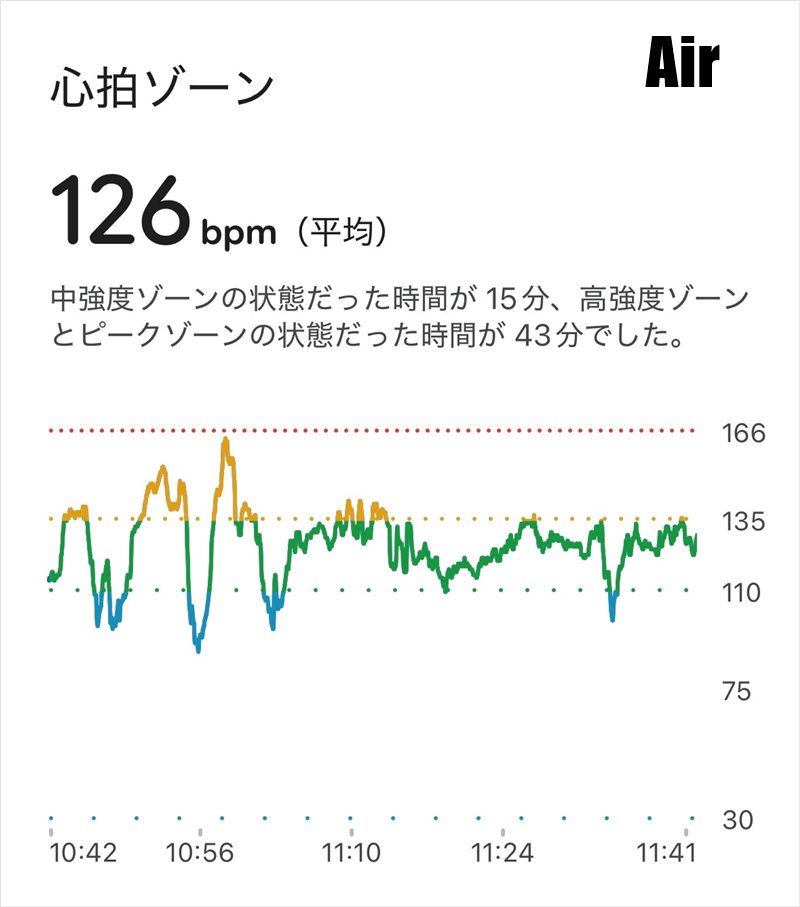
Wait… looking at this, it makes you want to ask, “Are these really datasets from the exact same person’s arm?!” They look so different!💦
Plus, even though I have both devices set to “Auto-Recognize” without manually messing with them, the Air mistakenly recorded today’s walk as a “Run” (which I went ahead and fixed manually).
As a side note, although I call it a walk, I did stop by a park workout station along the way to do some quick bodyweight training. So it wasn’t purely “just walking,” and the fluctuations in my heart rate were totally expected.
Oh, and the fact that the Air shows a more detailed and easier-to-read time breakdown is probably just because Google’s iOS app development team is incredibly talented!😆🎉
In any case, the correct way to analyze data is to consistently track with the same device over time.
🤝 The Lack of Screen and Notifications is Exactly Why It Shines as a Pixel Watch Companion
I truly feel that the real reason Google rolled out the amazing update allowing you to connect two devices to a single account at the same time is because they want you to use this as a companion device for the Pixel Watch.
For those on the fence about buying one, here is the ultimate combo I want to propose!👇
- ☀️ During the Active Day: Make the Pixel Watch your partner—the screen is easy to read, and you can freely use smart payments and check notifications.
- 🌙 Relaxation & Bedtime: Switch over to the ultra-lightweight Fitbit Air, where you don’t need screen glare or vibrating notifications, allowing you to enjoy pure “silence.”
Wearing a bulky smartwatch to bed can feel heavy and sweaty.💦
And if you accidentally forget to turn on Sleep Mode, you risk being jolted awake by a notification buzzing on your wrist!
But the Air has no screen and no notifications (the only thing it features is a silent alarm). This complete “lack of anything” becomes the ultimate form of comfort and its greatest strength during sleep or your personal winding-down time.
🎯 Conclusion: To Everyone Hesitating to Buy
“It’s stressful when my main smartwatch runs out of battery.”
“During my relaxation time, I just want to escape the screen flashes and the storm of notifications.”
If that sounds like you, the Fitbit Air is going to hit the absolute bullseye.
Let the feature-rich Pixel Watch handle the day, and let the quiet Air heal you at night. Trying out this “two-device relay system”—exactly as Google intended—makes your gadget life so much more comfortable!
Though, of course, this perk is strictly for Android users!💦
(Along with finding a workaround for that velcro band that feels terrible if you strap it too tight at night! lol) Starting next week, I will finally dive into the deep end with the topic you all seem most curious about: **Testing the data while worn on the ankle!**
If the Air shows such fascinating quirks on the wrist, what kind of logs will it pull off once it moves down to the ankle?!
I’ll be gathering tons of real, raw data to serve as a guide before you buy, so please stay tuned for the upcoming “guinea pig” road movie!🐯🔥🔥📱💻🚀🍏✨
コメント Leave a Comment